Monday, 31 August 2009

Eclipse configuration

  • Configuration for Eclipse Galileo - M2Eclipse - Subversive
  • (M2Eclipse-0.9.9: http://m2eclipse.sonatype.org/releases/0.9.9.200906081351 )
  • Hibenate tools: http://download.jboss.org/jbosstools/updates/stable
  • eclEmma.org - Java code coverage for Eclipse: http://update.eclemma.org


To configure manually eclipse workspaces edit the file:
eclipse\configuration\.settings\org.eclipse.ui.ide.prefs

A simple way to create new Eclipse workspace with all your old settings is to copy this directory .metadata/.plugins/org.eclipse.core.runtime/.settings into your new workspace directory.

To configure static imports simply configure static import favorites on the
Window > Preferences > Java > Editor > Content Assist > Favorites preference page

Sunday, 17 May 2009

Remotely backing up my data on the Cloud

Since I formatted my laptop recently I decided to find an online repository so I can store my files there. I created a Dropbox account and I made a request for the Ubuntu One. Soon I will have an Ubuntu One account and I will be able to compare those two.


Dropbox is quite fun. It runs in the background on the desktop and it synchronizes my files to my laptop and the web. It is a content management system that does versioning like SVN. The files are accessible on the internet via a url.

You can get both accounts for free with 2GB storage space but you have to pay if you want more space.

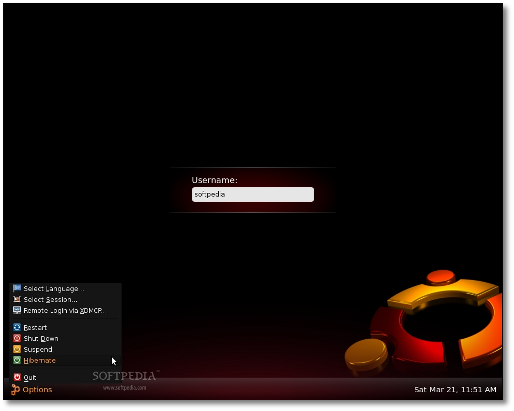
Ubuntu 9.04 rocks!

I moved from Ubuntu 8.10 to 9.04 and the problem with my wireless was fixed! ^^ If you have an Atheros 2414 then upgrade to the the 9.04 version of Ubuntu.

I also changed the file system to ext4. I did a full format of the partition in two laptops using the entire disk. The system works much faster now with the new journal file system in both laptops. It also boots faster.

Here is the Technical Overview of Ubuntu 9.04.

In addition the user interface of Ubuntu 9.04 looks much better :)


Sunday, 10 May 2009

How to post XML code on Blogger

In order to post XML code on Blogger you need to convert the text to HTML entities.

This is a useful website that helps you encode/decode HTML entities.

Struts2 web framework - Set up Struts2 with Maven

These are the minimum requirements to create a HelloWorld Struts application.

Here is the pom.xml

<project xmlns="http://maven.apache.org/POM/4.0.0" xmlns:xsi="http://www.w3.org/2001/XMLSchema-instance"
xsi:schemaLocation="http://maven.apache.org/POM/4.0.0 http://maven.apache.org/maven-v4_0_0.xsd">
<modelVersion>4.0.0</modelVersion>
<groupId>eleannita</groupId>
<artifactId>blog</artifactId>
<packaging>jar</packaging>
<version>0.0.1-SNAPSHOT</version>
<name>blog</name>
<url>http://maven.apache.org</url>
<build>
<plugins>
<plugin>
<groupId>org.mortbay.jetty</groupId>
<artifactId>maven-jetty-plugin</artifactId>
<version>6.1.9</version>
</plugin>
</plugins>
</build>
<dependencies>
<dependency>
<groupId>junit</groupId>
<artifactId>junit</artifactId>
<version>3.8.1</version>
<scope>test</scope>
</dependency>
<dependency>
<groupId>org.apache.struts</groupId>
<artifactId>struts2-core</artifactId>
<version>2.1.6</version>
</dependency>
<dependency>
<groupId>com.opensymphony</groupId>
<artifactId>xwork</artifactId>
<version>2.1.2</version>
</dependency>
</dependencies>
</project>

You can now execute that using Jetty. It is an lightweight servlet container and you can easily run jetty using maven with the command:
mvn jetty:run
Voila! :)

Automate your build process with Maven

I like using Maven because it makes the build process easy. It is much more organized than Ant.With maven you know by default what is the project structure.

Maven: The Definite Guide is an excellent book that provides comprehensive documentation for Maven and also has example code. You can download it for free and even access it through eclipse.

Java in the Google Cloud

Ever since Google made App Engine available to the public the number one request has been for Java support. Finally Google have obliged and opened GAE/J (Google App Engine for Java or "Gay-Jay") to public beta. Unlike Amazon's cloud services GAE/J is based around a deployable application as the basic unit. You create your WAR, deploy it to Google's cloud infrastructure and Google publish it to the world and make it scale.

There is a meetup at Skills Matter tomorrow about it. A whole range of questions about GAE/J will be answered. What does the cloud mean? What can it give me above deploying my own applications? Will Google own my data? How will I need to change my application to take advantage of GAE/J's features? How will it fit in with my existing applications? Can I use my favourite framework? Can I use all these hot new JVM languages and dynamic web frameworks?... and many more!

Speakers?
Chris Read and Ola Bini

Registration page for Skills Matter Java in the Google Cloud event
Don't miss it!